
Elevate Your Digital Imagery: Why Ultraflares is the Best Photoshop Plugin for Photorealistic Lens Flares
In digital art, photography, and 3D rendering, light is everything. It defines the mood, adds depth, and bridges the gap between a sterile digital canvas and the raw beauty of real-world optics. However, generating realistic lighting effects in post-production has historically been a challenge. Default software filters often produce generic, artificial results that fail to capture the true behavior of camera lenses.
Enter Ultraflares, a powerhouse tool developed by Richard Rosenman. Backed by over a year and a half of meticulous research into real-world optical physics, Ultraflares is arguably the most advanced, sophisticated, and best Photoshop plugin available for creating photorealistic lens flares, glints, and light leaks.
Whether you are a digital matte painter, a commercial photographer, or a 3D artist aiming to add a cinematic polish to your renders, here is an in-depth look at why Ultraflares deserves a permanent spot in your digital arsenal.
Modeling the Physics of Real-World Light

Many standard Photoshop plugins on the market generate flares using basic math that produces flat, unconvincing geometric shapes. Ultraflares stands out because its core technology is built entirely upon the study of actual optical phenomena.
The software mimics how light interacts with physical glass elements inside a camera body, realistically replicating sophisticated iris effects. Artists have access to complex adjustments including:
- Spherical Aberration: Mimics the subtle imperfections of physical lenses.
- Asymmetry and Aberration Offset: Controls how light bends unevenly as it moves away from the physical center.
- Light Distribution: A highly unique feature that manages exactly how illumination spreads across an individual iris at specified angles.
Absolute Modular Creative Control

Ultraflares operates less like a simple filter and more like a full-featured, professional light studio. It utilizes a hierarchical object stack, allowing you to layer, mix, match, and modify 13 realistically modeled flare objects. You can assemble custom flares using components like:
- Iris & Multi-Iris (with an insane limit of up to 1000 irises per object!)
- Spot Glow, Halo, and Ring
- Caustics, Shimmer, and Streak
- Spikeball, Hoop, and Sparkle
Every single element in the stack can be soloed, duplicated, renamed, or independently blended using object-specific blending modes. This provides an infinite range of complexity, putting total artistic control squarely back into your hands.
Industry-Leading Features That Define Photorealism
1. Dynamic Image Sampling
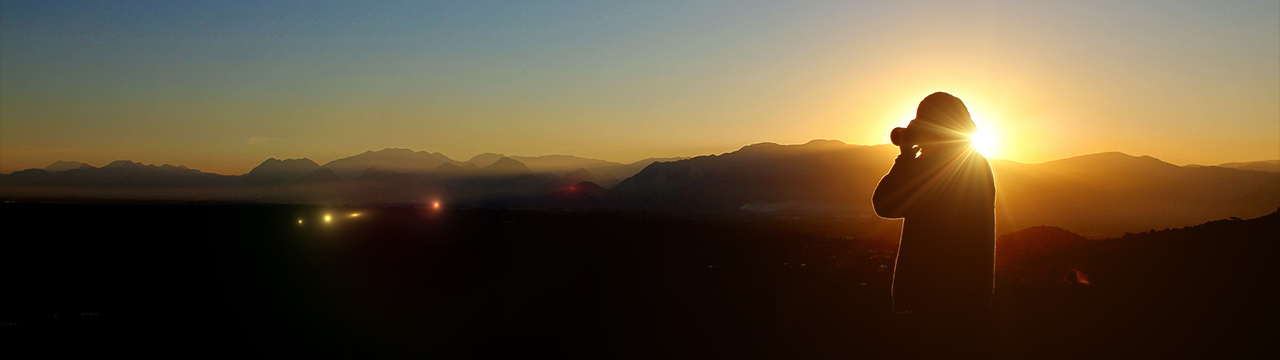
Ultraflares seamlessly interacts with your underlying artwork. By clicking within the intuitive preview window, the plugin automatically samples both the intensity and hue of your image in real-time. Darker areas will intelligently dim the flare, while the native colors of your image organically tint the light, perfectly integrating the effect into your composition.
2. Advanced Intelligent Triggering
One of Ultraflares’ most revolutionary features is “Triggering.” This allows specific object properties to automatically adapt based on where the flare is positioned on the screen. For example, you can set a streak to flare out aggressively when it moves beyond screen coordinates, or force chroma hoops to dynamically scale up as they near the edges of your frame—exactly mimicking how physical camera lenses behave in the field.
3. Real-World Lens Orbs & Textures
Nothing destroys photorealism faster than a mathematically perfect, completely sterile light effect. Ultraflares solves this by introducing customizable lens textures. Through the built-in procedural Lens Orbs object, you can dynamically generate realistic lens dirt, dust, and micro-particles that accumulate on physical camera elements, illuminating beautifully only when struck by the light vector.
A Complete Ecosystem of Professional Photoshop Plugins

While Ultraflares is the definitive king of digital light studios, it is part of a much larger line of award-winning digital artistry tools. If you are looking to optimize your production workflow and expand your creative suite, you should explore the other premium Photoshop plugins available in the Richard Rosenman Shop:
- DOF PRO for Photoshop: The industry standard for generating photorealistic depth of field effects using sophisticated depth maps.
- Electra: A lightning-fast, natively compiled tool for generating intricate electric rays, power currents, and lightning bolts.
- Long Shadow: Perfect for graphic and web designers looking to build clean, fully customizable flat graphic shadows natively inside Photoshop.
- Lattice: An advanced grid and particle synthesis design tool for generating abstract digital art and high-end textures.
Conclusion
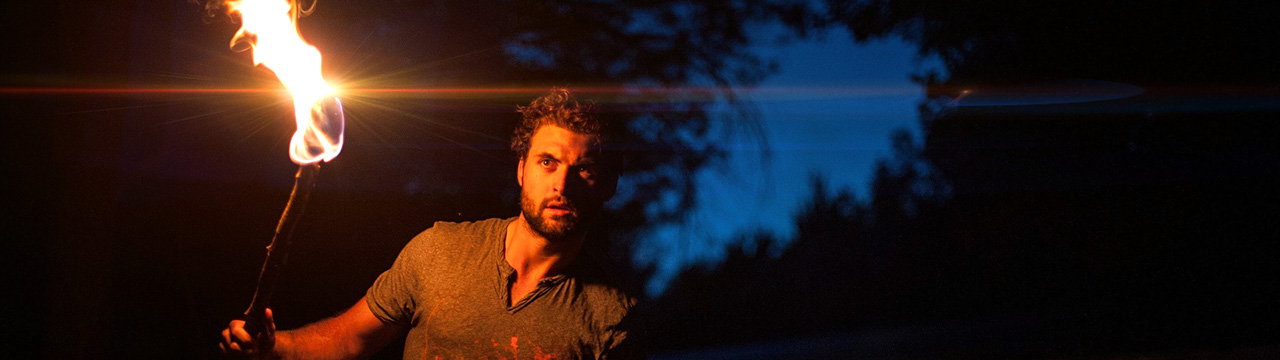
With hundreds of pre-built professional presets – including over 65 natural flares, 60 stylized variations, and dozens of organic light leaks – Ultraflares caters perfectly to both rapid, deadline-driven production environments and hyper-detailed personal masterpieces.
If you are tired of artificial, plastic-looking lighting and want to inject genuine, cinematic atmosphere into your digital artwork, head over to the website, download the free demo, and experience the unparalleled power of Ultraflares for yourself.
To see this plugin’s workflow in action, you can watch the Ultraflares Lens Textures Tutorial which demonstrates how to manipulate and illuminate realistic lens textures within the plugin’s interface.
Check out the Ultraflares product page now and if you want to expand the collection, take a look at the expansion sets titled Ultraflares Flarepack Volume 1, Ultraflares Flarepack Volume 2 and Ultraflares Flarepack Volume 3.