
Master Post-Process Bokeh: Why DOF PRO is the Industry Leader for After Effects
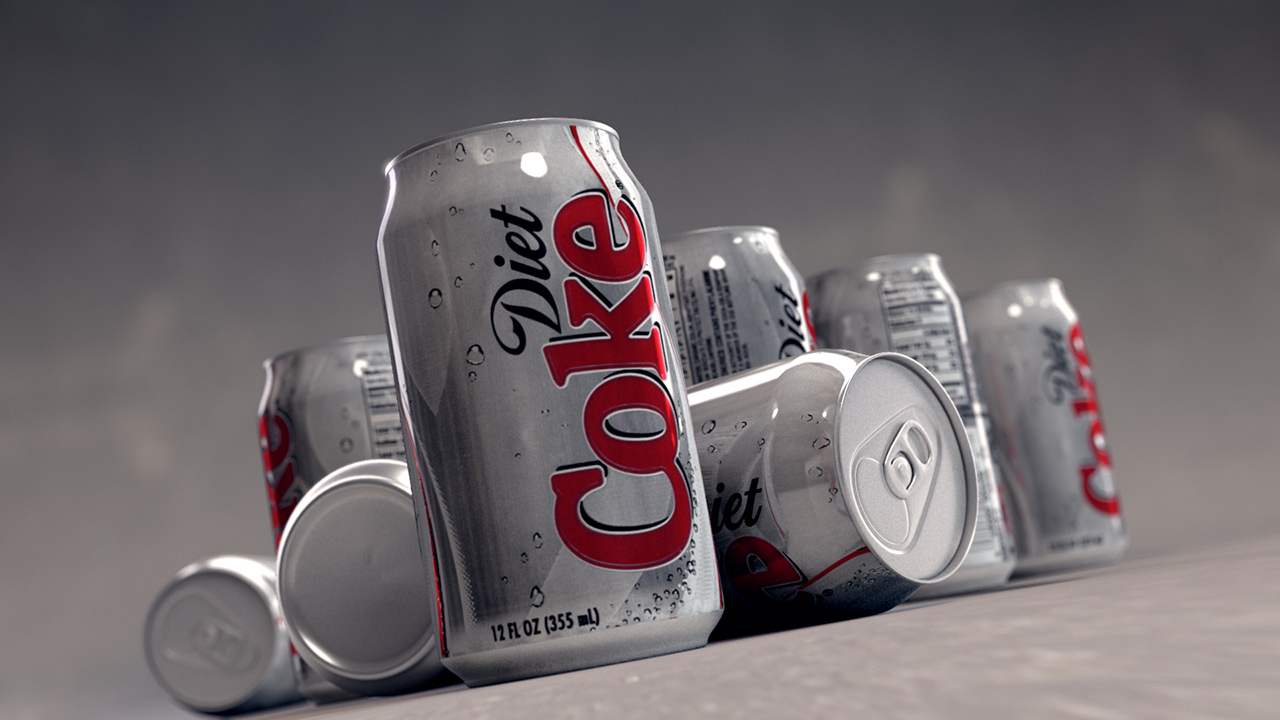
In 3D computer graphics and high-end visual effects production, achieving photorealistic depth of field (DoF) is often one of the biggest bottlenecks. Relying on native, physically accurate 3D raytracing to render complex bokeh characteristics can cause calculation times to skyrocket. This is where compositing tools become vital. By moving depth-of-field generation to the post-production stage, artists can save hundreds of hours of rendering time without sacrificing visual quality.
However, standard blur filters are simply not equipped to handle the complex optical physics of a real camera lens. For true cinematic realism, professionals turn to a dedicated After Effects plugin: DOF PRO (Depth Of Field Generator PRO) by Richard Rosenman.
Backed by over two decades of continuous research and development since its initial launch in 2005, DOF PRO is the undisputed industry choice for creating sophisticated depth of field for After Effects. Let’s look into what sets it apart as a post-render powerhouse.
The Physics of Photographic Bokeh
Naturally occurring depth of field is governed by incredibly intricate real-world phenomena. When light passes through physical glass, variables like lens curvature, aperture blade counts, and light refraction dictate the precise appearance of the out-of-focus areas (the bokeh).
Standard After Effects plugins often treat background blurring uniformly, resulting in a flat, artificial look. DOF PRO treats depth of field as a physical simulation. It analyzes a provided greyscale depth map—where pixel luminance represents an object’s precise distance from the camera lens—and applies advanced optical math to perfectly mimic real-world glass.
Cutting-Edge Features for True Photorealism
DOF PRO includes a professional featureset designed to recreate subtle, highly sought-after lens behaviors that are impossible to achieve with basic blurs.
1. Advanced Aperture & Blade Modeling

The shape of your bokeh highlights is dictated by the camera’s aperture blades. DOF PRO offers full control over circular and polygonal apertures ranging from 3 to 16 blades. It features fully adjustable Blade Notching (with positive or negative angles) to replicate the structural anomalies found in real-world iris designs.
2. Custom Aperture Maps

For total creative control, you aren’t restricted to geometric presets. DOF PRO allows you to load custom aperture maps directly into the engine. Whether you want to match a highly specific vintage lens profile or create stylized bokeh shapes (like hearts or custom patterns), the plugin offers infinite customization.
3. True Spherical Aberration
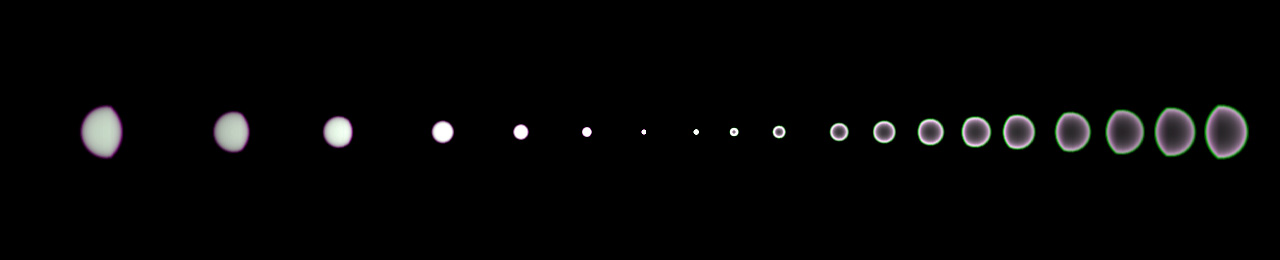
Real lenses suffer from spherical aberration, where light passing through the edge of a lens focuses at a different point than light passing through the center. This causes distinct light distribution inside the bokeh—either an over-corrected “halo” edge or an under-corrected “bright core.”
Crucially, DOF PRO understands that light wavelengths flip as they pass through the focal plane. It automatically reverses spherical aberration behaviors for foreground versus background bokeh, mirroring exactly how physical camera optics behave.
4. Optical Vignetting & Astigmatism
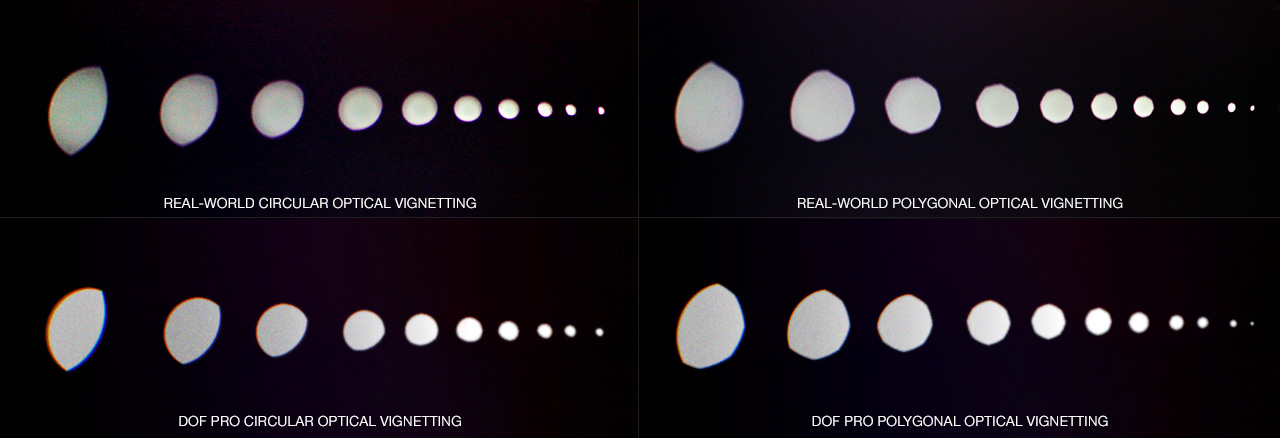
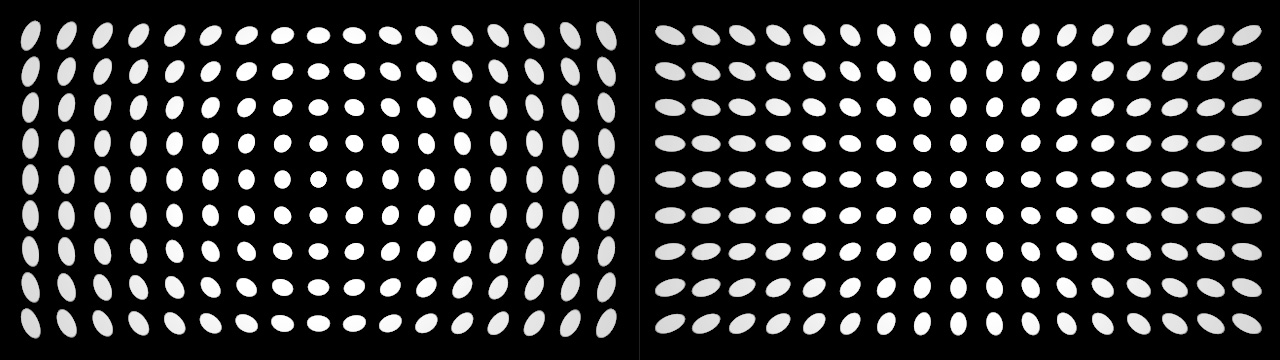
To capture the authentic aesthetic of cinematic glass, DOF PRO features built-in Optical Vignetting (commonly known as the “Cat’s Eye” effect) which naturally distorts out-of-focus highlights near the edges of the frame. Combined with both sagittal and tangential Astigmatism controls and catadioptric (mirror/reflex lens) simulation, it accurately replicates physical camera artifacts.
Professional Workflow & Pipeline Integration
Engineered to fit seamlessly into demanding production environments, DOF PRO for After Effects provides the infrastructure needed for high-end studio delivery:
- Complete Color Precision: Full support for 8-bit, 16-bit, and 32-bit float color pipelines, which is vital for preserving the intense dynamic range of HDR highlights without clipping or banding.
- Broad Aspect Ratio Standards: Includes industry-standard presets for NTSC, PAL, Widescreen, IMAX, and true Cinema Anamorphic aspect ratios to perfectly match any shooting format.
- Smart Noise Matching: Features an integrated noise generation engine to seamlessly re-introduce digital pixel grain into the blurred regions, ensuring the post-process effect blends perfectly with the original image texturing.
Expanding Your Post-Production Toolkit
While mastering cinematic depth of field is essential, a complete visual effects pipeline requires a variety of specialized tools. The full Richard Rosenman shop offers an ecosystem of advanced software tools engineered for professional motion designers:
- Want to add highly intricate, multi-layered particle arrays using displacement mapping? Explore Particle Projection.
- Need an industry-standard lens flare engine capable of generating organic anamorphic streaks? Take a look at Ultraflares.
- Looking to integrate realistic structural dynamics into your layout? Check out the advanced timeline physics of Rope Sim.
- Check out true Inverse Kinematics for facilitating complex character rigging in After Effects with IK Studio.
- Produce awesome generative mosaics with Motion Mosaic for After Effects.
Elevate Your Renders
If you want your 3D renders or composited live-action footage to look like they were captured through world-class cinema glass, treating depth of field as an afterthought isn’t an option.
Visit the official DOF PRO for After Effects product page to browse the extensive CGI gallery, check out the free custom aperture map libraries, and download the free demo to experience the industry leader in post-rendered depth of field.
Got any questions? Don’t hesitate to reach out to us.